
How to: work with Live Activity for tracking on iOS
Active and available from version 4.29.0 of the app on iOS only.
You may have seen Live Activity functions used before in apps such as for Uber or various food delivery services. This is available in Driversnote now and shows details of the trip when tracking is active. It will look like this:
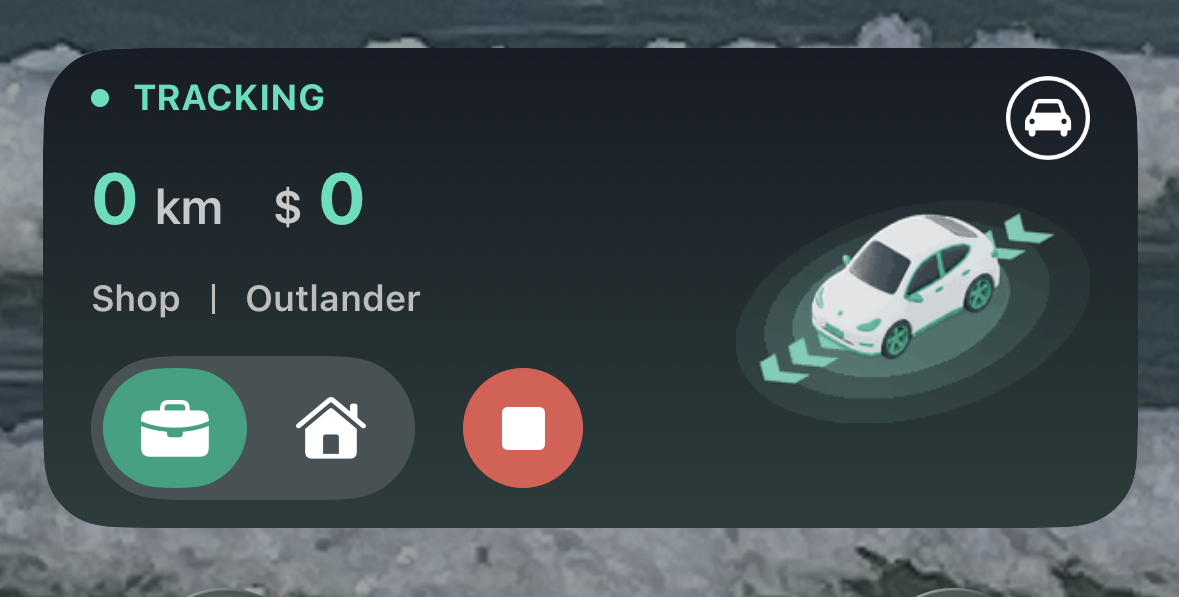
It shows:
Tracking is active.
The amount of kilometres or miles you have tracked in the current trip.
The vehicle selected for this trip.
Buttons where you can switch the trip category (above between Business and Personal).
The red button to manually stop the trip.
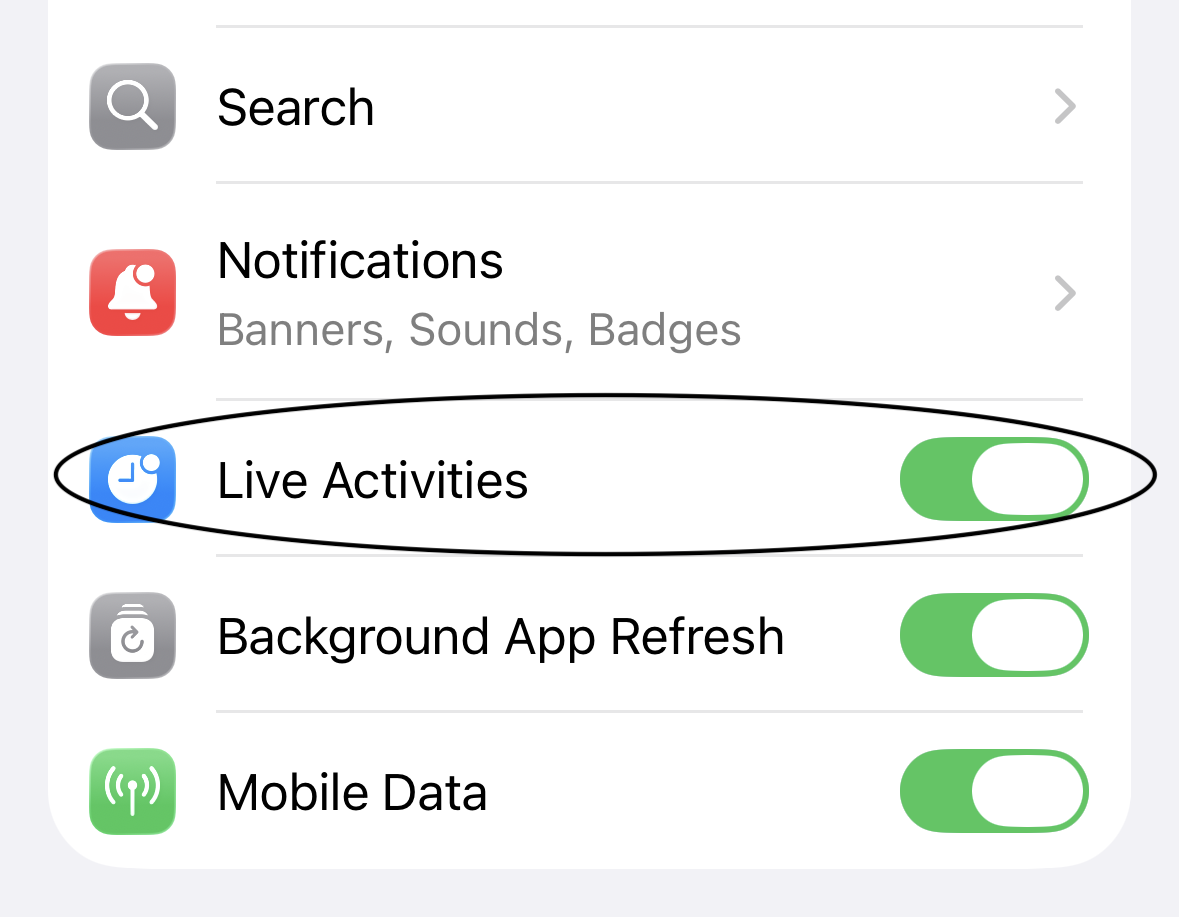
When you first use Live Activity, you will see options in the widget to Allow or stop its use, but that will disappear after first use. But after that, if you want to change the function of Live Activity at any time, you can go to Settings > Apps > Driversnote and turn Live Activities on or off in the options:
Note: It may look like your tracking stays visible for a lot longer than before, but that's not the case! If the trip activity is showing after the trip is done, it will disappear automatically and not track any excess mileage.